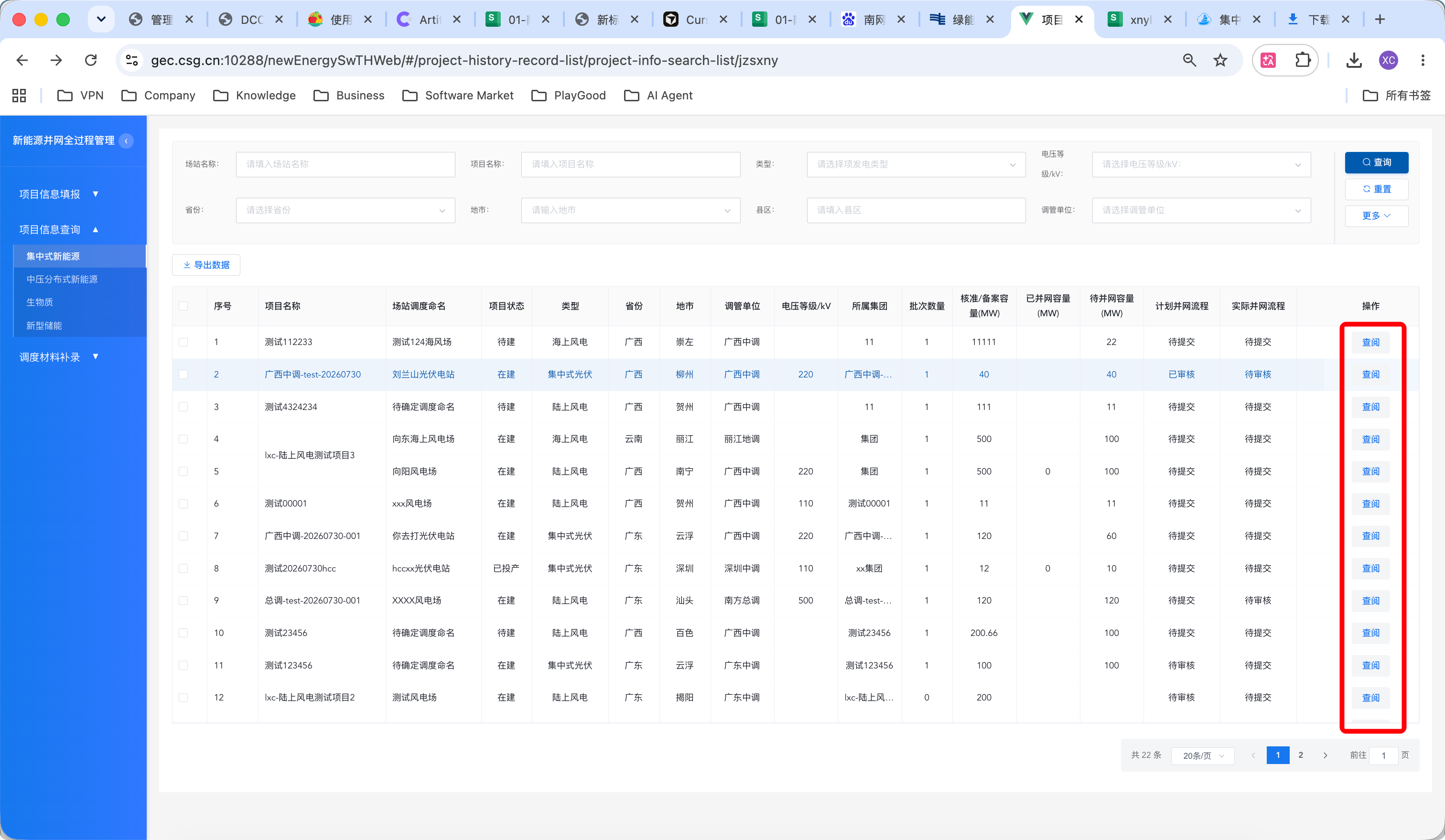
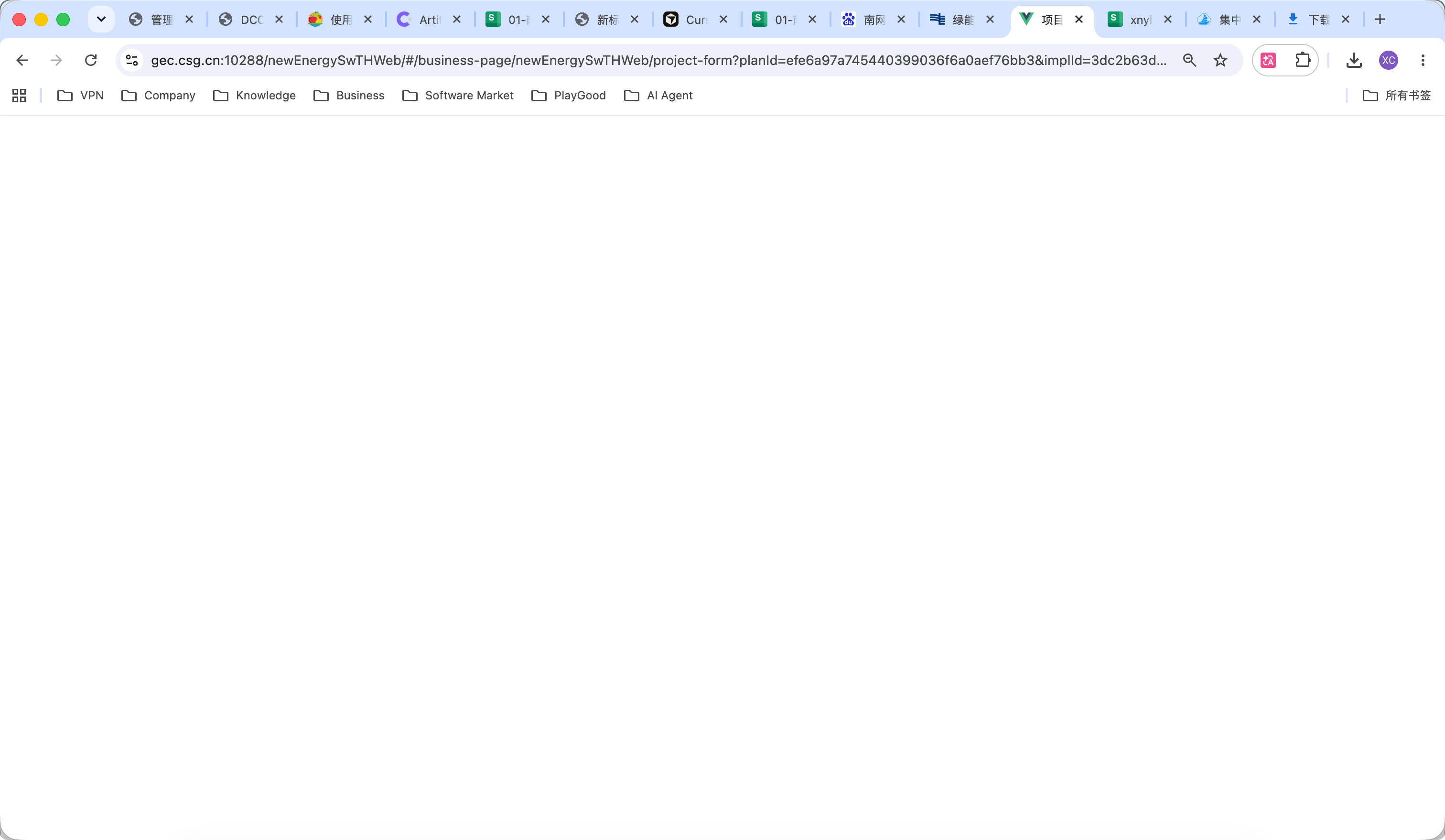
Row 34:项目信息查询点击"查阅"按钮之后白屏
严重
已关闭 · 复测通过
全部类型
模块:项目信息查询 处理人:陈键泽
1基本信息
| 问题描述 | 项目信息查询,点击查阅按钮之后白屏。 |
| 所属模块 | 项目信息查询 |
| 严重程度 | 严重(阻断流程:是) |
| 涉及类型 | 全部类型 |
| 提出人 | 刘向诚 |
| 处理人 / 状态 | 陈键泽 / 5.1.已关闭(复测通过) |
2问题截图
3旧代码定位(backup730 分支)
"查阅"按钮实际绑定的是 handleJump(并非同文件中未被引用的 handleView 死代码),跳转参数正确携带了 planId/implId:
// projectInfoSearchList.vue 第38行模板
<el-button @click="handleJump(row, 'basic', 'view')">查阅</el-button>

// 第374-392行
handleJump(row, activeName, status) {
  const query = { planId: row.planId, implId: row.id, status, mode: status,
    activeName, tabform: 'ProjectInfoSearchList', type: this.type, title: document.title }
  window.open('/project-form?' + new URLSearchParams(query))
},
目标页面 src/views/projectNew/ProjectTabs.vue 第 131-149 行,created() 中读取路由参数:
created() {
  // this.planId = this.$route.query.planId || ''     ← 第135行:直接从 query 取 planId 的写法被注释掉了
  this.status = this.$route.query.status || ''
  this.implId = this.$route.query.implId || ''
  this.type = this.$route.query.type || ''
  this.activeTab = this.$route.query.activeName
  document.title = this.$route.query.title || '电网运行管理系统'
  try {
    this.getPlanIdByImplId(this.implId);      // 改成异步"以 implId 反查 planId",但没有 await,也没有 catch 住内部的 rejection
  } catch (error) {
    this.planId = this.$route.query.planId || '';   // 只能兜住"同步抛出"的异常,接口内部的 reject 根本走不到这里
  }
  this.loadOptionsData()
  if (this.projectId) { this.loadProjectData() }
},
...
async getPlanIdByImplId(implId){
  const response = await newEnergyApi.getPlanIdByImplId(implId);   // 若该接口报错/无权限/implId在当前批次查不到,Promise reject
  this.planId = response.data;                                     // 永远不会执行到,this.planId 保持初始值 ''
},根因说明:直接从 URL
query.planId 赋值 this.planId 的代码被注释掉,改为调用 async getPlanIdByImplId(implId) 异步反查。但调用处 this.getPlanIdByImplId(this.implId) 既没有 await,也没有对返回的 Promise 挂 .catch()——外层的 try/catch 只能捕获"同步调用瞬间"抛出的异常,接口请求失败产生的 Promise rejection 属于"未处理的异步拒绝",不会落进这个 catch 分支。一旦 newEnergyApi.getPlanIdByImplId() 因为网络抖动、implId 暂未同步、权限校验等原因返回错误,this.planId 会一直停留在初始值 '';"项目基本信息" Tab 直接用空 planId 渲染 <projectDetail :planId="planId">,其内部数据请求/渲染出现异常但没有被上层捕获兜底,最终整个标签页呈现白屏。4修复方案
修复文件:src/views/projectNew/ProjectTabs.vue
第一步:先用 URL 上的
planId(如果有)做兜底初始值,再异步反查修正,避免"必须等接口成功才有 planId":created() {
this.planId = this.$route.query.planId || '' // 恢复兜底赋值,保证有值即可渲染
this.status = this.$route.query.status || ''
this.implId = this.$route.query.implId || ''
this.type = this.$route.query.type || ''
this.activeTab = this.$route.query.activeName
document.title = this.$route.query.title || '电网运行管理系统'
if (this.implId) {
this.getPlanIdByImplId(this.implId) // 仅用于用最新 planId 覆盖/校正,失败不影响已有兜底值
}
this.loadOptionsData()
if (this.projectId) { this.loadProjectData() }
},第二步:补上异步方法自身的错误处理,避免 Unhandled Promise Rejection:
async getPlanIdByImplId(implId){
  try {
    const response = await newEnergyApi.getPlanIdByImplId(implId);
    if (response && response.data) {
      this.planId = response.data;
    }
  } catch (error) {
    console.error('[ getPlanIdByImplId 失败,沿用 URL 中的 planId ] >', error)
    this.$message.error('获取项目最新信息失败,已展示查询时的项目信息')
  }
},效果:即使"以 implId 反查最新 planId"的接口失败,页面仍能用 URL 携带的 planId 正常渲染项目基本信息,不再出现整页白屏;接口异常也会有可见的错误提示,便于定位问题而不是静默失败。